 Skip to the content
 PQDiffractor® PQDIF & COMTRADE Viewer
View, Browse, Diagnose & Convert Files — for Free
PQDiffractor® from Powerside is the go-to PQDIF viewer and COMTRADE viewer for free, high-quality navigation and visualization of power quality and oscillography data. View and read files, browse records, create interactive charts, export observations and more, all in one free and user-friendly tool from the most trusted name in power quality solutions.
What Is a PQDIF File?
Power Quality Data Interchange Format, or PQDIF, is a file format specified in IEEE Std 1159.3 that is used to exchange voltage, current, power and energy measurements between software applications. PQDIF is maintained by the IEEE P1159.3 Task Force of the IEEE Working Group on Monitoring Electric Power Quality.
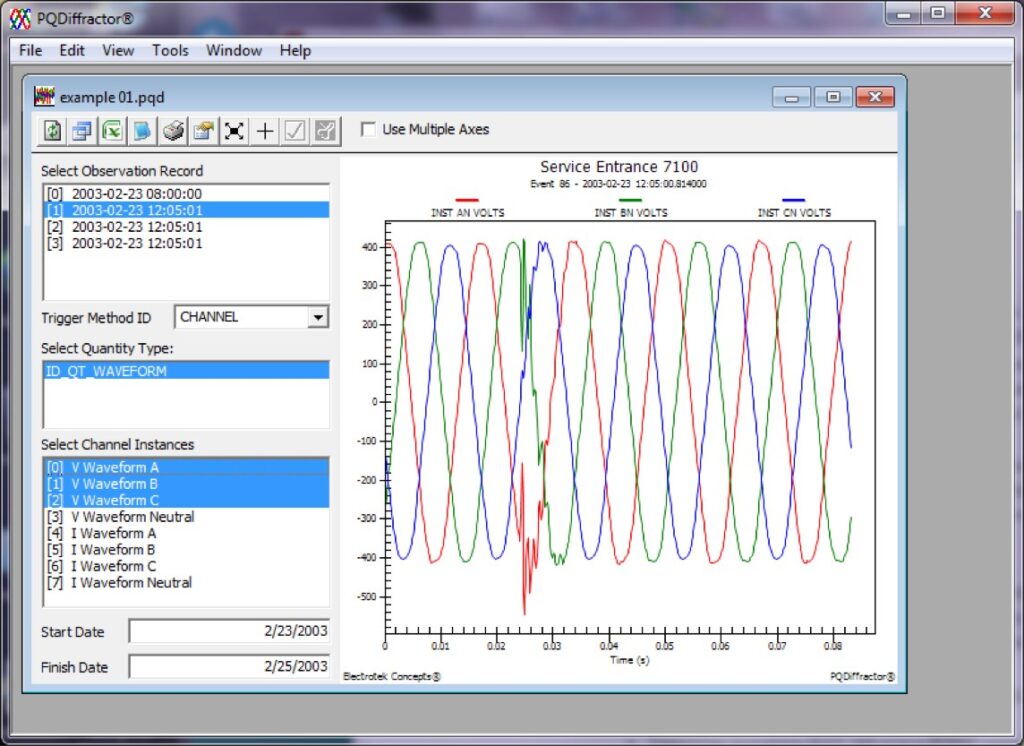
Figure 1: PQDiffractor screen capture showing a voltage sag measurement stored in a PQDIF file with channel instances
What Is a COMTRADE File?
Common Format for Transient Data Exchange, or COMTRADE, is a file format specified in IEEE Std C37.111 for storing oscillography and status data related to transient power system disturbances. COMTRADE is maintained by the IEEE Relay Communications Subcommittee of the IEEE Power System Relay Committee (PSRC).
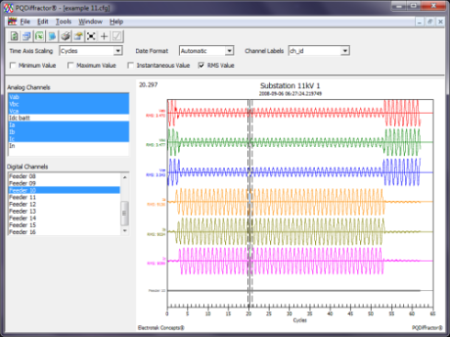
Figure 2: PQDiffractor screen capture showing a fault measurement stored in a COMTRADE file
PQDiffractor Functionalities
- Read binary PQDIF files using IEEE Std 1159.3-2003 specifications
- Read ASCII or binary COMTRADE files using IEEE Std C37.111-1991 or C37.111-1999 specifications
- View lists of data source & observation records in each PQDIF file
- View lists of analog & digital channels from COMTRADE configuration files
- View lists of quantity types & channel instances with each PQDIF observation record
- View tags & values from records, definitions & instances stored in PQDIF files as tables
- Create interactive charts from PQDIF observations with channels of any quantity type, including:
- Value logs
- Waveforms
- Phasors
- Mag-dur-times
- Mag-durs
- Responses
- X-Y
- X-Y-Z
- Flash densities
- Cumulative probability frequencies
- Histograms
- 3D histograms
- View samples from analog COMTRADE waveforms & digital status channels
- Export charts to CSV text formats, as well as EMF, WMF, BMP, JPEG & PNG graphical formats
- Export displayed observations to Microsoft Excel as CSV files
- Convert from native binary PQD to XML — exporting only structure and definitions — enabling reading or browsing PQDIF files using a text or XML parser
- Can be automated using a command-line option
- Identify IEEE Std 1159/3 PQDIF compliance issues
- Identify any PQView compatibility issues with PQDIF files